Business · November 12, 2026
How to Write a Website Design Brief: A Small Business Checklist
5 min
Abstract
A good website design brief tells a designer what the site must achieve, who it is for and what already exists, so the quotes you receive are based on the same picture. This checklist walks through each section.
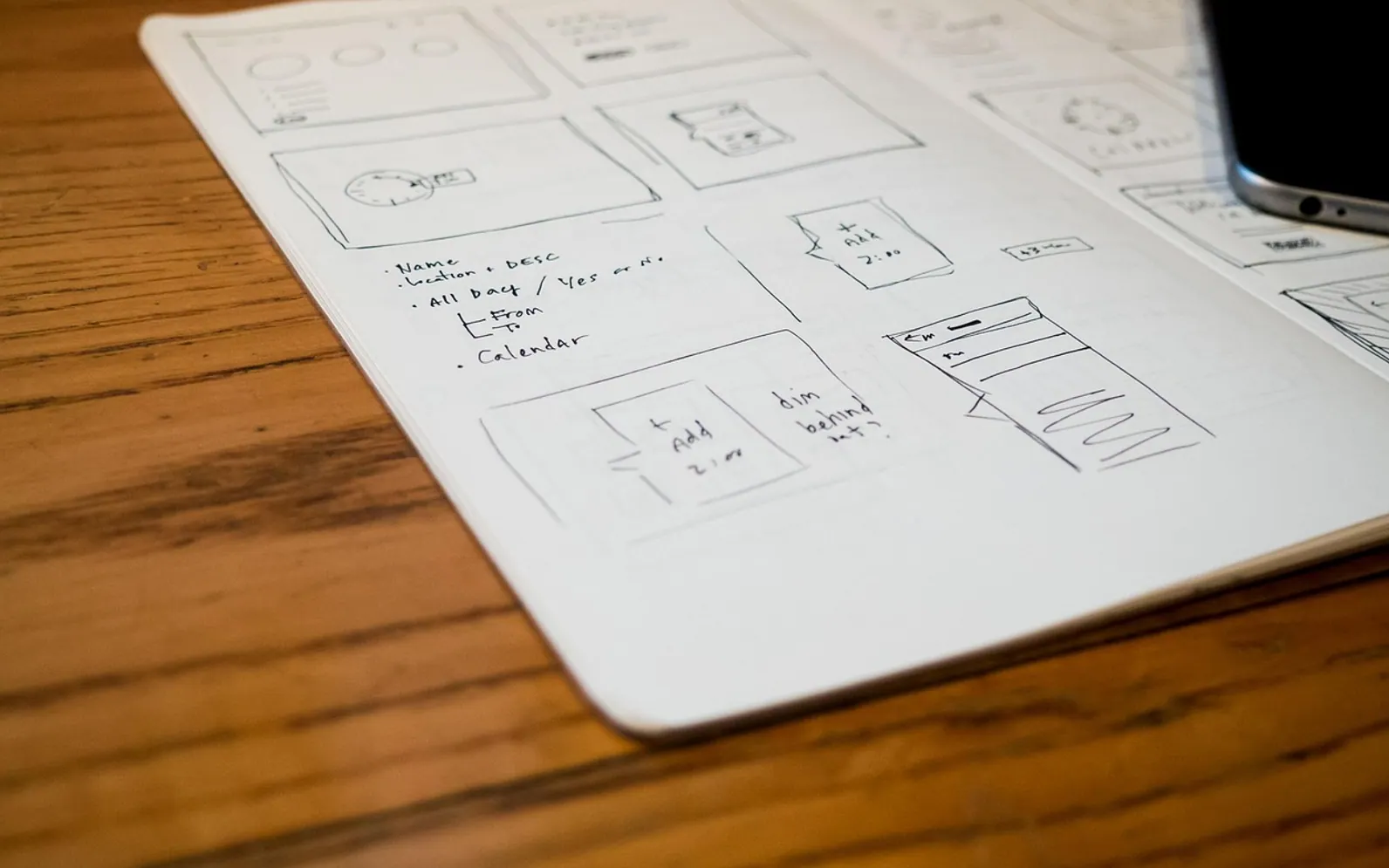
A website design brief is a short document that explains what your new site has to do, who it is for, what material you already have and what limits the project works within. Written well, it lets a designer quote accurately, ask fewer basic questions and start on the right footing. Written badly, or skipped, it leads to quotes that cannot be compared and a first draft that misses the point. Two or three pages are usually enough for a small business.
Start with the purpose, not the look
Many briefs open with colours and fonts. A designer gets more from one clear sentence about what the site should change for the business. Should more people call? Should customers book without phoning? Should the site answer the same five questions your staff answer every day? Pick one main goal and no more than two secondary ones, and put them at the top of the document.
Then describe how you will know it is working. You do not need numbers; plain statements such as "fewer enquiries asking for our opening hours" or "most bookings arrive online rather than by phone" give everyone a shared target.
Describe the people who will use the site
Write a few lines about each main group of visitors: who they are, what they are trying to find, and what usually stops them from getting in touch. A plumbing firm might list homeowners with an urgent leak, landlords managing several properties and builders looking for a subcontractor. Each group needs something different from the homepage, and naming them helps the designer decide what goes where.
List the pages and the content you already have
Next, sketch a rough page list. It does not have to be final; the designer may suggest merging or splitting pages. Alongside it, be honest about which content exists and which still needs writing, because content is the part of a website project that most often slips.
| Page | Content status | Who provides it |
|---|---|---|
| Home | Needs new copy | Owner drafts, designer edits for layout |
| Services | Text exists in a brochure, needs updating | Owner |
| About | Old text, photos of the team missing | Owner, photographer to be arranged |
| Contact | Address, hours and map details ready | Owner |
Mention your logo files, brand colours, product photos and any existing domain name or hosting account. If someone else controls the domain, say so now; finding the login late is a common cause of delays.
Spell out the features you need
Features change the size of a quote more than almost anything else, so list them plainly and mark each one as essential or nice to have:
- Forms: a simple contact form, a quote request with file upload, or a longer application form.
- Booking: whether customers pick a time slot, pay a deposit or just request a callback.
- Shop: how many products, whether stock is tracked, and how delivery and returns work.
- Accounts or member areas: anything visitors log into.
- Connections: email newsletter sign-ups, accounting software or a calendar the site must talk to.
- Languages: whether any pages need a second language version.
If you are unsure whether you need a feature, say that too. A designer can explain the trade-offs, but only if they know the question is open.
Share examples and explain why you chose them
Links to sites you like are helpful, but the reason matters more than the link. "Clear prices on the first screen", "photos that feel local rather than stock" or "a menu that works well on a phone" tells the designer far more than a list of addresses. Add one or two examples you dislike, with a sentence on why. Studios often show how they turn this kind of input into a plan; a business in New Zealand comparing local studios might, for instance, read how a Website Design team in Auckland lays out its process before deciding what to include in its own brief.
Be open about budget, timeline and decisions
Many owners leave the budget out, hoping for a lower quote. In practice a range helps more than silence: it lets the designer suggest what fits within it rather than pricing an ideal version you cannot use. Give a range you are comfortable with and say whether it is firm.
For timing, name any fixed date, such as a product launch or a seasonal rush, and say how flexible everything else is. Then write down who signs off. If two partners must agree on every page, the schedule should allow for that.
What happens if the owner and the manager disagree on the design?
Name one person as the final decision-maker in the brief. Others can comment, but feedback should be gathered and passed on as one set of notes. This avoids a designer receiving conflicting instructions on the same day.
Should the brief cover what happens after launch?
Yes, briefly. Say who will update prices, add news or change opening hours, and whether you expect ongoing help with updates, backups and security. That affects how the site is built and what training you may need.
What a designer needs before quoting
Before sending the brief, check it answers these questions:
- What is the single main goal of the site?
- Who are the main visitors and what do they need?
- Which pages are planned, and which content is ready?
- Which features are essential and which are optional?
- Which examples do you like or dislike, and why?
- What is the budget range and is there a fixed deadline?
- Who approves the work and who maintains it afterwards?
Sending the same document to every studio you approach works much like a request for quotation, a method explained in this guide to comparing supplier quotes on equal terms. Small details of your brand that already exist, such as the layout of a consistent email signature, are worth attaching too, so the new site and your everyday emails look like they belong together.
A brief is not a contract and it will change once the conversation starts. Its job is to make that first conversation useful. Keep a copy, note what changed after each meeting, and check any terms you sign against the rules that apply to your business.